From my own desk
Walking Pad Desk Setup:
What 3 Months Taught Me
 By Ash · Reviewed November 2026 · How we pick
I've walked on a pad under my desk every day for three months, usually about 1 hour 15 minutes a day, sometimes closer to two, at 4 km/h. I don't own a standing desk. I put a small table on top of my regular desk, set my laptop on it, and take my calls walking.
Most guides will tell you that setup won't work. In my experience, it does, as long as you know what it's bad at. Here's what I've learned, including the part where mine starts to run hot.
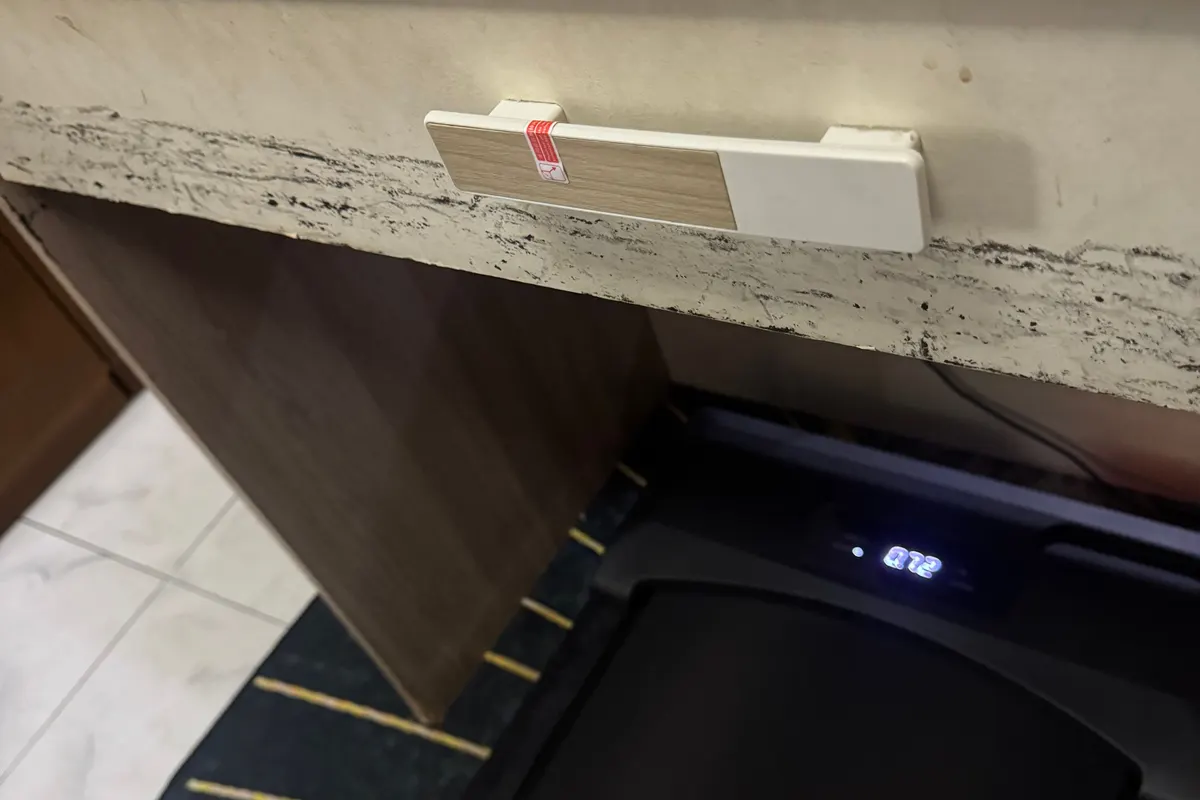
My own walking pad, tucked under my regular sitting desk. Photo: Ash.
Quick answer: Yes, you can work on a walking pad, and you don't need a standing desk to do it. Use the walking time for calls and short replies, walk slowly (around 4 km/h), take a break every 45–60 minutes, and get your laptop or keyboard to standing elbow height plus the pad's deck height. The calculator below gives you that number.
My setup: no standing desk needed
Here's the whole thing: a regular sitting-height desk, a small table on top of it, my laptop on the table, and the walking pad on the floor in front.
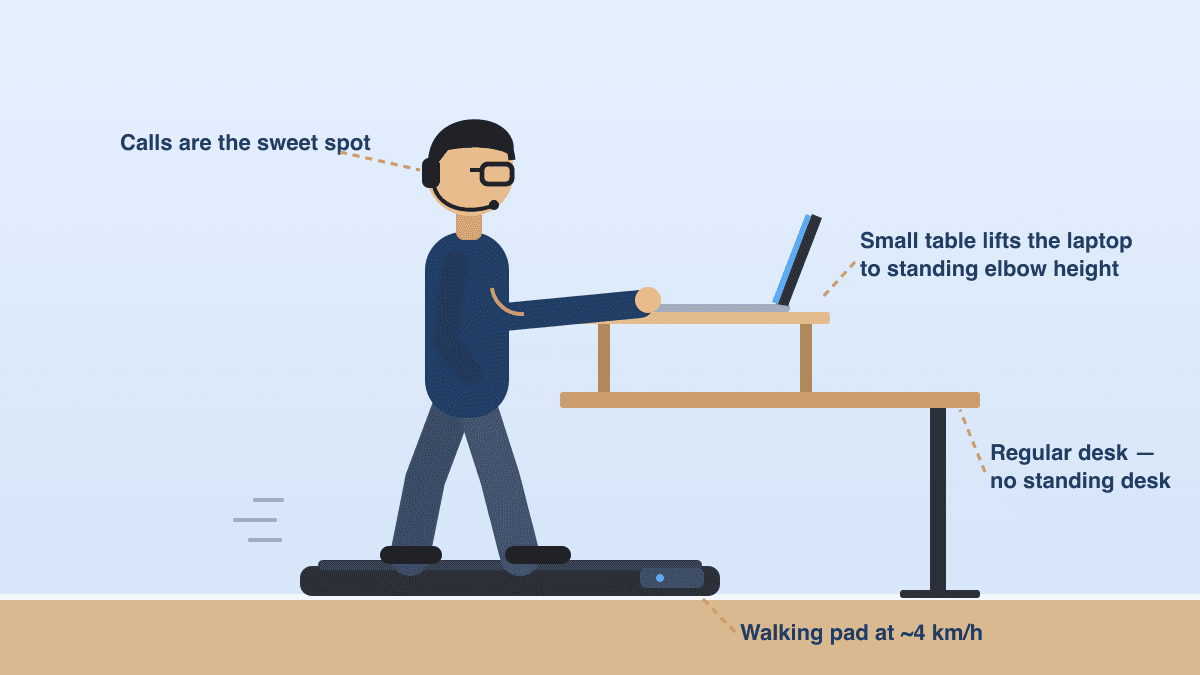
How the setup works: a small table on a regular desk brings the laptop up to standing elbow height.
The guides that say you need a standing desk aren't wrong about the ergonomics. A laptop at elbow height puts the screen lower than ideal, and you wouldn't want to read documents like that for hours. But that's not what I use walking time for. On a call I'm mostly listening and talking, not staring at the screen, so the low screen barely matters. If you're trying to work out whether walking while you work suits you at all, a small table is a far cheaper experiment than a new desk.
The one number you have to get right is the height of the surface your hands rest on. You're standing on the pad's deck, so you need your standing elbow height plus the deck height. Get it too low and you hunch. Get it too high and your shoulders creep up. Work yours out here:
Walking pad height calculator
Want the screen up at eye level? A laptop stand plus an external keyboard, or a monitor arm, gets it there.
Shopping for a desk that clears a walking pad? Check the max height first. See standing desks.
What works while walking, and what doesn't
This is the most useful thing I can tell you. Walking time is great for some kinds of work and bad for others. Match the task to the pad and the whole setup makes sense.
Speed: why 4 km/h is my sweet spot
I keep mine at 4 km/h, which is about 2.5 mph. It's quick enough to feel like real movement and slow enough that I can hold a conversation without sounding out of breath. Walking pads are built for walking, not running, and you don't need to push the speed to get the benefit. Showing up every day matters more than going fast.
How long at once: the overheating lesson
I break my walking into sessions of about 45 minutes to an hour, and there's a practical reason for that. On the few occasions I've gone past about 90 minutes in one stretch, my pad has started to heat up. I rarely go that long. An hour on, a break, then another session later in the day is how I get to my 1–2 hours.
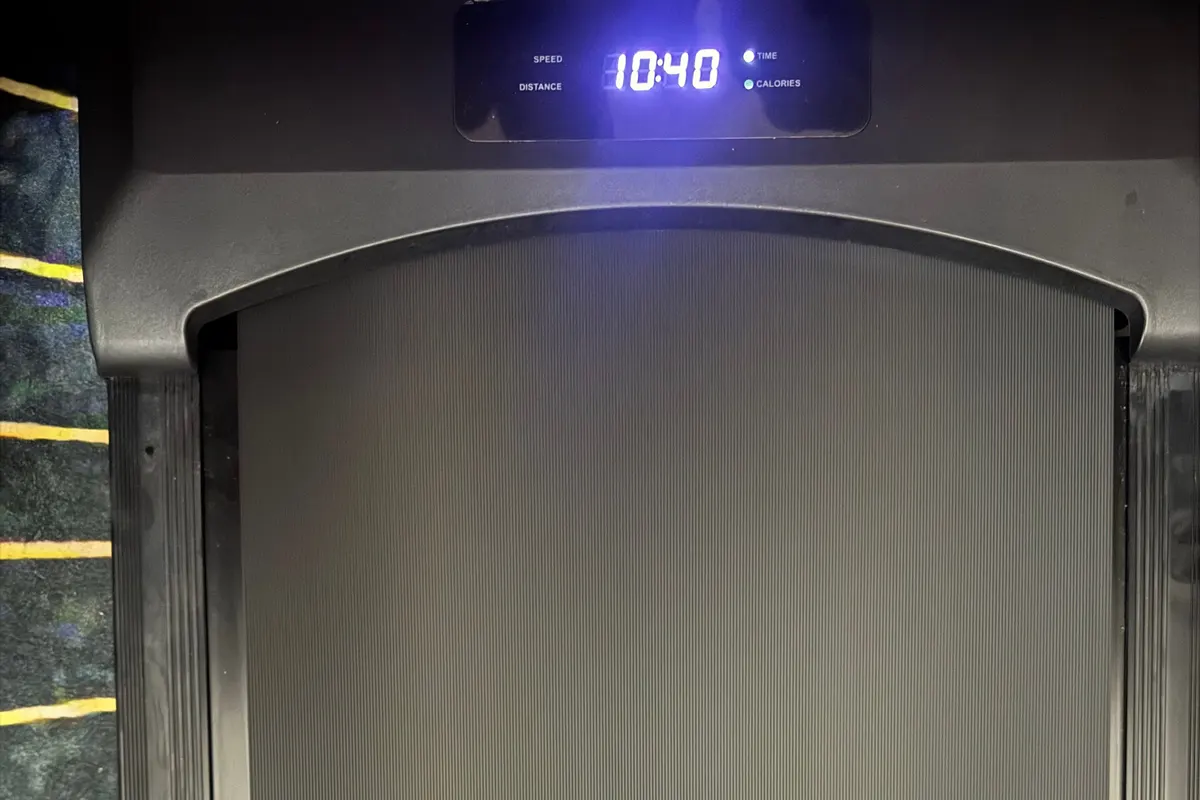
My pad's display: it cycles through speed, distance, time and calories. Handy for keeping sessions to about an hour.
If you're buying a pad, check the manual for a maximum continuous run time. If it lists one, treat it as a hard limit, not a suggestion. Splitting your walking into sessions is easier on the motor and, honestly, easier on you.
If you do have a standing desk
A standing desk makes the switch quicker, but check one number before you put a pad under it: the desk's maximum height. It has to reach your standing elbow height plus the deck height, which is often 4–6 inches above where you'd normally set it. Plenty of budget standing desks top out in the high 40s of inches, so taller people can run out of range. The table below assumes a 5-inch (13 cm) deck. The riser column is what a small table would need to add on a standard 29.5-inch (75 cm) desk instead.
| Your height | Surface on a 5" pad | Riser on a regular desk |
|---|---|---|
| 5'4" (163 cm) | 44.5" (114 cm) | 15" (39 cm) |
| 5'8" (173 cm) | 47" (120 cm) | 17.5" (45 cm) |
| 6'0" (183 cm) | 49.5" (126 cm) | 20" (51 cm) |
| 6'4" (193 cm) | 52" (133 cm) | 22.5" (58 cm) |
Surface = standing elbow height (≈ 0.62 × your height) + deck height. Same ratios as our desk height calculator.
A desk that wobbles at standing height will wobble more when someone is walking in front of it. If yours already shakes when it's fully raised, fix that first. Shopping for one? I checked the max height of popular desks in my best standing desk for a walking pad guide, and if you want the screen at eye level, a monitor arm lets you change height in seconds when you switch between sitting and walking.
Is a walking pad worth it for working from home?
For me, without question. It's the best thing I have for staying active on days when my job keeps me at a desk, and it's helped me lose weight. I lost about 4 kg in my first month walking roughly 1 hour 15 minutes a day, which got me to around 10,000 steps a day.
That's one person's result, not a promise. Diet and everything else you do matter, early weight loss often includes water, and none of this is medical advice. The bigger win, honestly, is that it turned calls (time I'd have spent sitting anyway) into movement without taking anything away from my day.
Is noise a problem? Not for me. Mine is quiet at walking speed and nobody has complained. If you live above someone, a mat under the pad and sticking to walking pace are the easy precautions.
Safety: cables, breaks, and a brand to avoid
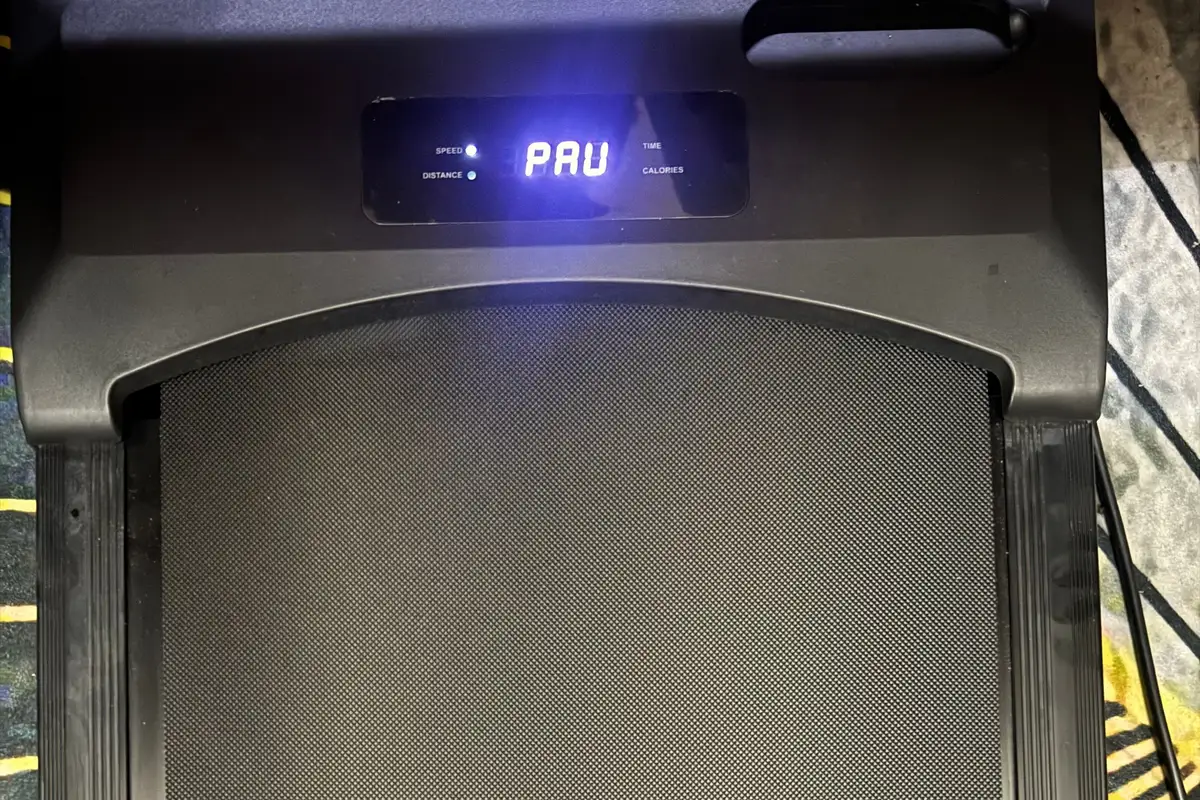
Paused (“PAU”). Stop or pause the belt before you step off. Never hop off it while it's moving.
- Keep cables out of the walking path. A charger lead near your feet is the obvious trip hazard. Route laptop and pad cables away from the belt. Cable management basics help here.
- Stop the belt before you step off. Don't hop off a moving belt to grab something.
- Take breaks. Every 45–60 minutes works for me, and it keeps the motor from running hot.
- Avoid Sperax. In April 2026 the U.S. Consumer Product Safety Commission warned consumers to stop using Sperax walking pads and treadmills immediately because of fall, burn and fire hazards. Some "best walking pad" lists still recommend them.
A note on what this page is: it's my own setup and what three months of daily use taught me. The photos are of my own pad. It isn't a "best walking pad" ranking. One pad tells me a lot about using one and nothing about which brand is best. Where I compare specific models, like Urevo vs DeerRun, I say clearly that it's research-based. See how DeskDNA reviews gear.
Frequently Asked Questions
Can you actually work on a walking pad?
Yes, for the right kind of work. In my experience, calls, email and short replies work well at a slow pace like 4 km/h. Long writing sessions and precise mouse work do not, so I sit down for those. Treat walking time as call-and-inbox time, not deep-work time, and it fits into a normal workday easily.
Do you need a standing desk for a walking pad?
No. I use a regular sitting desk with a small table on top to bring my laptop up to standing elbow height. The table needs to add roughly 15–22 inches (39–58 cm) on a standard 29.5-inch desk, depending on your height and the pad’s deck height. The calculator on this page gives your exact number. A standing desk is more convenient, but it is not required to start.
What speed should you walk at while working?
Slow. I walk at 4 km/h (about 2.5 mph), which is quick enough to feel like real movement and slow enough to hold a conversation without sounding out of breath. Most under-desk walking pads top out around 6 km/h anyway, because they are built for walking, not running.
How long can you use a walking pad at one time?
I take a break around the 45-minute to 1-hour mark. On the rare occasions I have gone past about 90 minutes in one go, my pad has started to run warm, so I treat an hour as a sensible session length and let it cool between sessions. If your manual lists a maximum continuous run time, treat that as a hard limit.
Are walking pads worth it for working from home?
For me, yes. It is the single best thing I have for staying active on remote-work days, and I lost about 4 kg in my first month walking roughly 1 hour 15 minutes a day. Results depend on diet and everything else you do, and early weight loss often includes water, so treat that as one person’s experience rather than a promise.
Are walking pads loud?
Mine is quiet at walking speed. The noise is minimal and nobody has complained. Noise depends on the motor, your floor and your speed, so if you live above someone, a mat under the pad and keeping to walking pace are the easy wins.
Which walking pad brands should you avoid?
Sperax. In April 2026 the U.S. Consumer Product Safety Commission warned consumers to stop using Sperax walking pads and treadmills immediately because of fall, burn and fire hazards, and said the importer had refused an acceptable recall. More broadly, be wary of no-name pads with no reachable customer support and no clear warranty terms.
Related Guides
Build the rest of your desk around it
Our generator turns your room, budget and work style into a complete home-office setup.
Build My Setup